Print handwriting worksheets at actual size
Match the paper, print at 100% and check the 50 mm bar with a ruler.
To keep the letter size you chose, print at Actual size or 100%. The preview is scaled to fit your screen, while the PDF and print view keep the paper dimensions set in the workbench.
Match the paper first
| Paper | Width × height, portrait | Useful check |
|---|---|---|
| A4 | 210 × 297 mm | Select A4 in both the worksheet and print dialog. |
| US Letter | 215.9 × 279.4 mm (8.5 × 11 in) | Select Letter in both places. |
| Custom | The dimensions you entered | Confirm the printer supports the chosen size. |
Match the printer setting to the worksheet: A4 for an A4 file, US Letter for a Letter file. If you need both, export and check each version separately. Asking the printer to fit one format onto another changes the scale.
Use actual size
- Open Print or download the PDF and open it locally.
- Select the paper size that matches the worksheet.
- Choose actual size or 100% where the print dialog offers it.
- Disable browser headers and footers if they would add dates or URLs.
- Inspect the print preview for cropped edges before printing one sample.
Measure the test page
Measure the 50 mm bar on a printed sample with a ruler. It should be 50 mm long when the printer keeps the document at actual size. Measuring it on your screen will not tell you the printed scale.
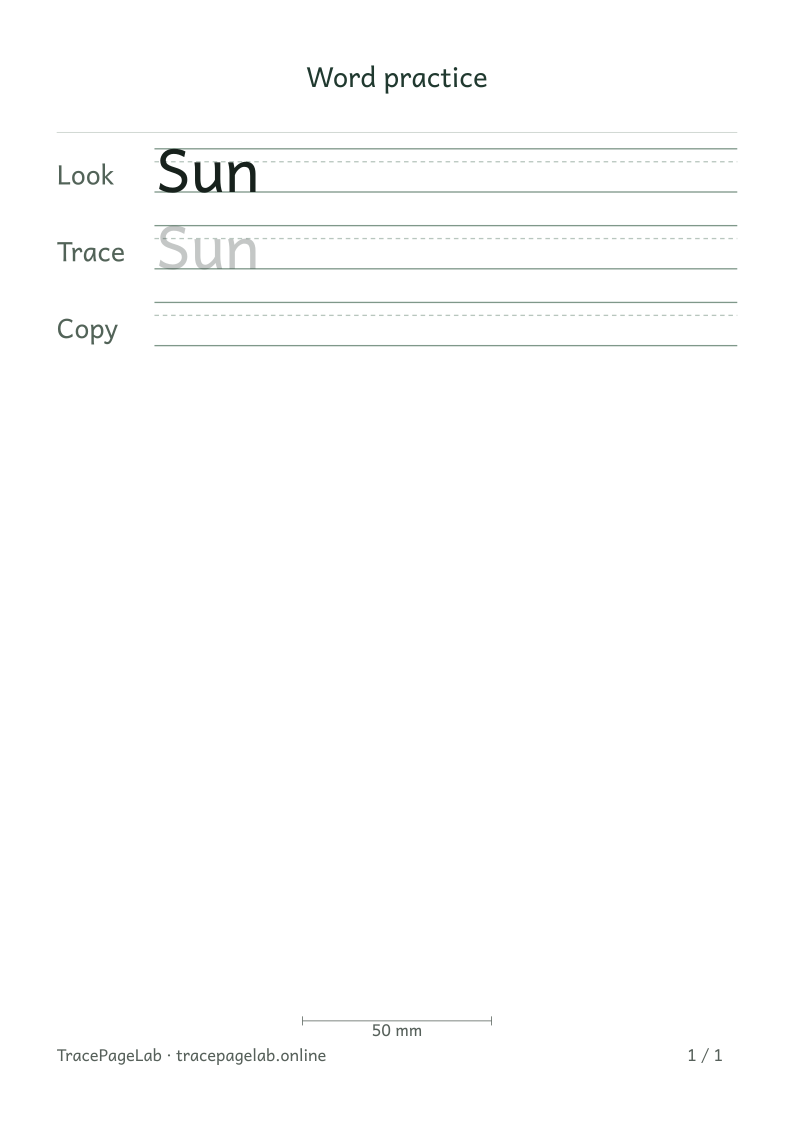
This A4 sample is 210 × 297 mm and has a 50 mm measurement bar. Print the PDF on A4 at Actual size or 100%, then check the bar with a ruler.
If the measurement is wrong
Look for Fit, Shrink to printable area or a similar scaling option and switch it off. Then check the selected paper size. If an edge is clipped at 100%, increase the worksheet margins to suit the printer.
Keep the output clean
The print view should contain the worksheet without the site menus or editing controls. If those appear, cancel and use the workbench’s Print button or print the downloaded PDF.