Look, trace and copy worksheet
Give each word a solid model, a tracing row and blank space to write on your own.
Customize this sheet in the private workbench. Your text is processed on your device.
The sample uses A4. Choose US Letter or a custom paper size in the workbench.
These sheets use Andika print letters. For stroke order, follow the handwriting model you use at home or school.
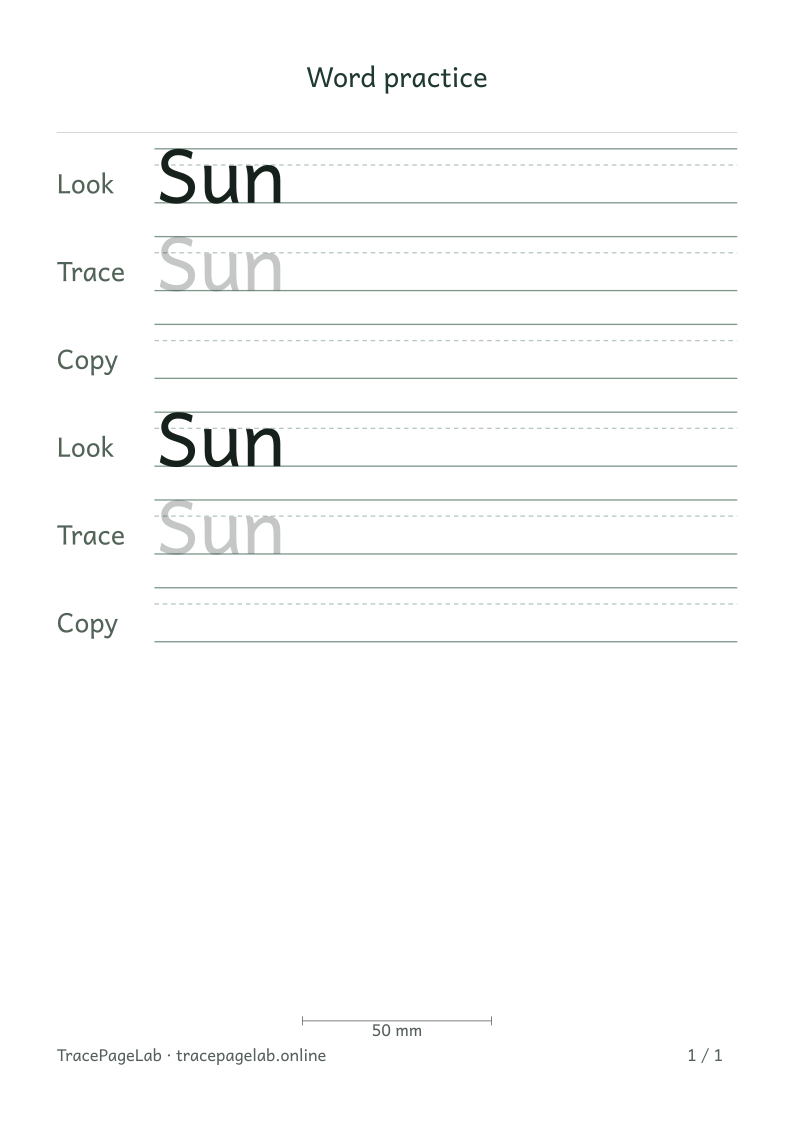
Start with Sun to see how the three rows work. Look shows the word in solid print, Trace makes it pale, and Copy leaves empty guidelines.
Print this sample, or open it in the workbench to change the text and layout.
Make the worksheet
- Open the workbench and choose a short sample word or name.
- Set the sequence to model, trace and blank copy rows.
- Choose how many times to repeat the complete sequence.
- Check that the copy rows are empty and that the text rows are visible.
- Preview the page and export at the selected paper size.
Choose the space the task needs
One short word with Look, Trace and Copy repeated twice has six rows. Repetitions apply to the whole sequence. If a longer entry wraps, check the preview for the extra lines.
Before you print
Check that the tracing is visible and the Copy rows have enough room to write. You can change the row order, add more blank rows or remove tracing for a look-and-copy sheet.
| Output | Use it for |
|---|---|
| Open the browser print dialog and choose matching paper and actual size. | |
| Download a separate vector file to print or keep locally. | |
| SVG | Keep self-contained vector pages for a compatible local application. |
| Project file | Save the editable text and settings in a local JSON file. |
Create your first custom worksheet
Questions about this worksheet
What is the difference between Look, Trace and Copy?
Look prints solid text to inspect. Trace prints pale letters to trace over. Copy leaves empty guidelines for writing independently. The preview shows the exact sequence you choose.
How do repetitions affect the number of rows?
Repeat sequence repeats the whole pattern for each entry. One short word with Look, Trace and Copy repeated twice has six rows. A sentence that wraps can occupy more physical lines.
Can I make a sheet with a model and blank rows only?
Yes. Choose Look & copy as the starting pattern. You can add another Copy row or use the arrow buttons to change the order. Review the sequence before increasing repetitions.