Word spacing practice worksheet
Practice spaces between words while keeping the letters in each word at their normal spacing.
Customize this sheet in the private workbench. Your text is processed on your device.
The sample uses A4. Choose US Letter or a custom paper size in the workbench.
These sheets use Andika print letters. For stroke order, follow the handwriting model you use at home or school.
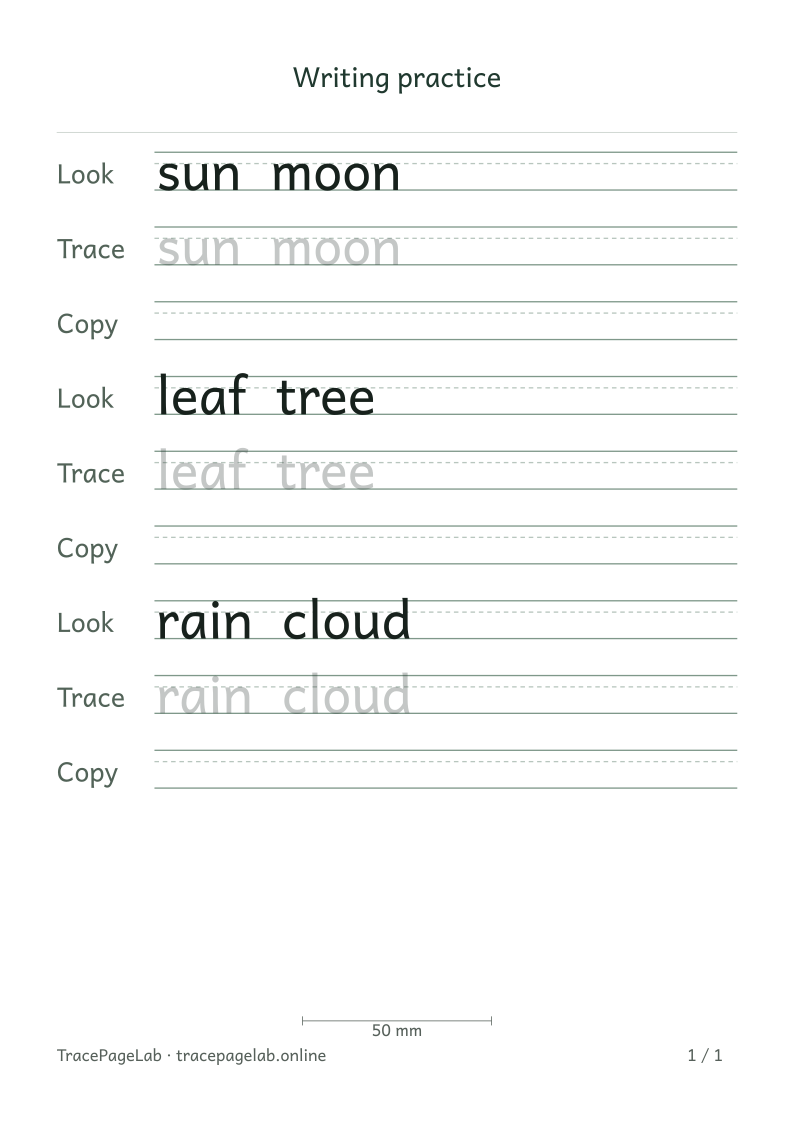
Use sun moon, leaf tree or rain cloud to compare word spacing. Change Extra word spacing, then look at the gap between the two words at the same letter size.
Print this sample, or open it in the workbench to change the text and layout.
Make the worksheet
- Open the spacing preset and inspect a two-word example.
- Choose a size that lets both words fit without crowding the margins.
- Adjust the space between words, then compare the full line.
- Keep a blank row for copying the same phrase with room to write.
- Check wrapping and page count after any spacing change.
Choose the space the task needs
Extra word spacing changes gaps between words, not the spacing of letters inside them. A wider gap can move the last word onto another line when wrapping is on.
Before you print
Change one setting at a time and compare the whole phrase. Check the final word after increasing the gap.
| Output | Use it for |
|---|---|
| Open the browser print dialog and choose matching paper and actual size. | |
| Download a separate vector file to print or keep locally. | |
| SVG | Keep self-contained vector pages for a compatible local application. |
| Project file | Save the editable text and settings in a local JSON file. |
Create your first custom worksheet
Questions about this worksheet
Does Extra word spacing spread out every letter?
No. It adds space between words. The font keeps its normal spacing inside each word. Use a phrase such as sun moon to compare two word-spacing settings at the same letter size.
Why did the last word move onto another line?
Increasing the gap between words makes the whole phrase wider. With wrapping selected, a word can move to the next line. Check the full phrase after each change, including the last word.
Can I add spaces inside a name to make it wider?
You can type spaces, but they become part of the worksheet text. Keep a name’s intended spelling and use letter size or page width when you need a different overall scale.