Make word tracing cards with room to copy
Make four word tracing cards with space to copy, then check one printed sheet before cutting.
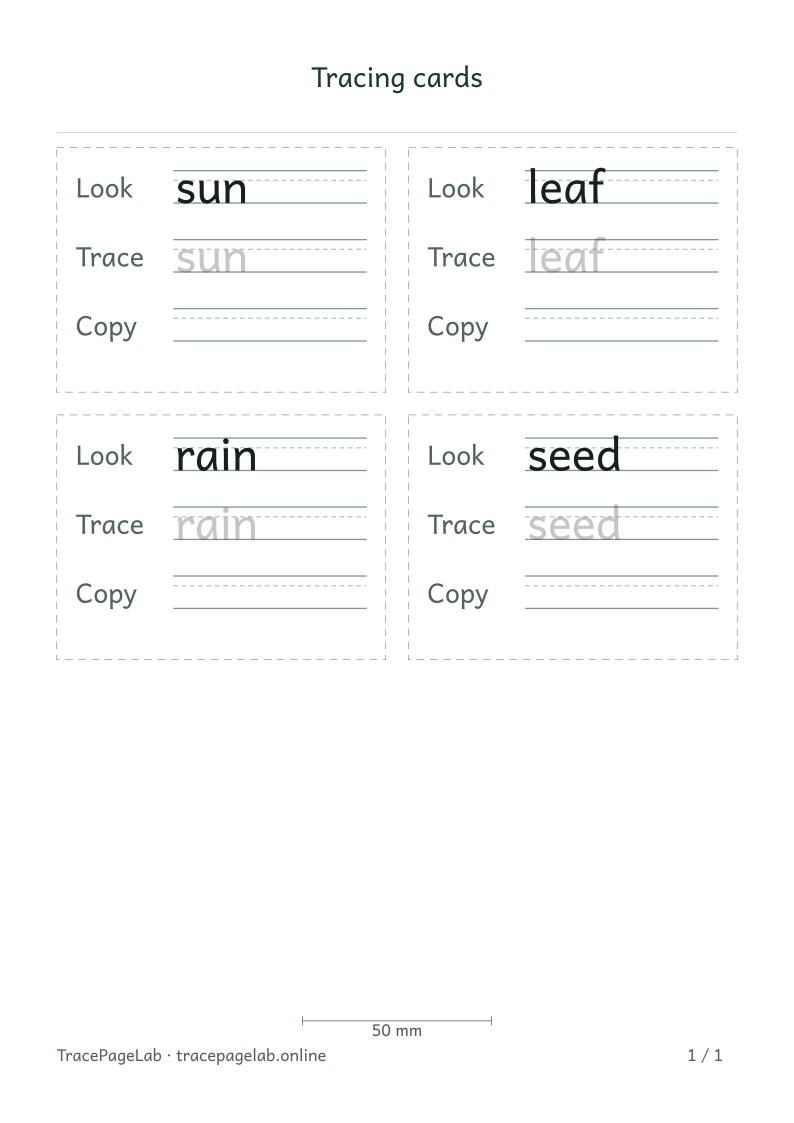
Each word has its own card with a model, tracing and blank writing space.
Short words work well on tracing cards. This activity uses sun, leaf, rain and seed, with a solid model, a light tracing row and a blank copy area on each card.
Choose the words and card layout
Open the tracing-card maker and keep one word on each input line. Choose A4 or US Letter before adjusting the cards, since the two paper sizes leave different amounts of space.
Balance the three row roles
| Part of each card | Preparation check |
|---|---|
| Model | The complete word is easy to see without dominating the card. |
| Tracing row | The word remains visible in a light tone. |
| Copy space | The writing area is genuinely blank and large enough for the word. |
| Card boundary | The border and cutting area stay outside the lettering. |
Try a 6 mm letter size for these short words, then check the model and blank writing area. Extra repetitions use more of the card, so keep the first set small.
Inspect all four cards
- Read the full words sun, leaf, rain and seed.
- Check that no letter touches a card boundary.
- Inspect the space between cards and the outer page margins.
- Make sure a model from one card cannot be mistaken for the copy row of another.
- Confirm that the preview contains the expected number of cards and pages.
If a new word is too wide, try fewer card columns, landscape paper or a smaller letter size. Keep the full spelling. A full-width word worksheet may be a better fit for a long entry.
Print one sheet before cutting
Print one sample on matching paper at 100%. Check the measurement bar, outer margins and card borders before making more copies.
Check that each writing area sits inside its card before cutting the sheet apart. If children are using the activity, an adult should handle or supervise the cutting.
Keep a plain source list
Save the project to keep the word order and card settings. Download a PDF for printing, then reopen the project when you want a different set of words.