Make name worksheets and keep the files private
Prepare name sheets with accents and hyphens, then choose which local files to keep or share.
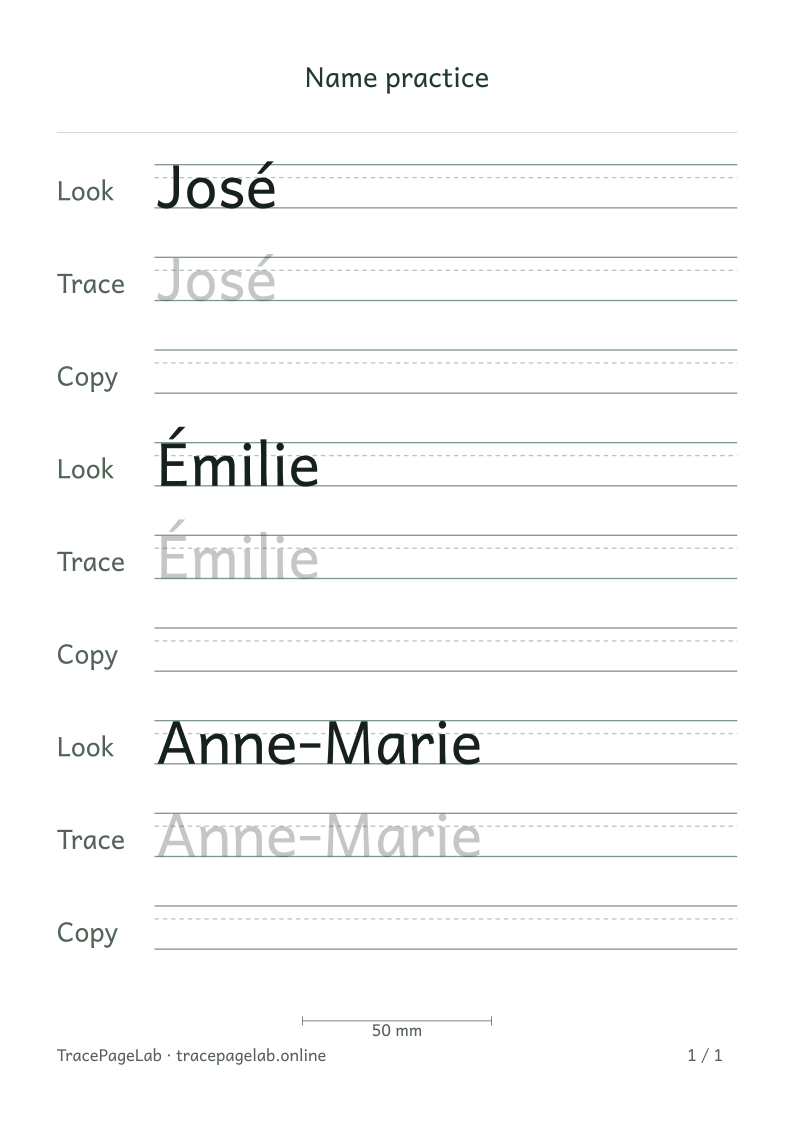
These examples demonstrate an accent on a lowercase letter, an accented capital and a hyphen.
Make a name sheet for each person with the same paper and row settings. This example uses the fictional names José, Émilie and Anne-Marie. Enter your own names only after opening the private workbench.
Start from a public example
These samples give you three spelling details to check: an accent on é, an accent on capital É and a hyphen. Try them first if you want to see how those details fit on the page.
Move into the private workbench before typing
Make a worksheet with your own text
- Public exampleStart with a sample from the library or a guide.
- Private workbenchOpen the editor before typing a personal name.
- On your deviceThe browser builds the letters and page layout.
- Page previewReview the spelling, rows and paper size.
- Local filesDownload a printable PDF, SVG or editable project.
Open the name maker and choose Use this worksheet. When the editor has loaded, replace the sample with the name you want to print. The workbench processes the text on your device.
| Step | Where the text belongs |
|---|---|
| Read a walkthrough | A guide with sample words and fictional names |
| Enter a household name | Private workbench |
| Shape and lay out the sheet | Local browser processing |
| Keep the editable source | Use Save project to download a local file |
| Share or print | Check the contents before printing or sharing |
Review one name at a time
Check the accent in José and above the first letter of Émilie. For Anne-Marie, check the hyphen and the width of the whole name. Look above and below each row as well as along it.
Leave Keep as entered selected to preserve the capitals you type. Review any case conversion before applying it. If a name is too wide, change the page width or fit setting while keeping the spelling.
Save only the files you need
- Download a PDF for the finished printable page.
- Save a project only if you need to return to the editable text and settings.
- Keep local files in a place appropriate for household information.
- Review their contents before sending them to another person.
- Delete unneeded downloads with your device’s file manager.
Check each downloaded file before sharing it. The PDF shows the chosen name, and the project keeps it in editable form, even though the filenames are generic.
Clear the workspace on a shared device
Use Clear workspace when you finish. Save a project first if you want to continue later, since the editor does not save your text automatically. Files already downloaded stay on the device.
Describe problems without sharing a real name
If you need to describe a problem, try a fictional name with the same accent or a similar length. That usually lets you explain the issue without sharing someone’s personal details.
Read private worksheet handling